
Bills at a glance
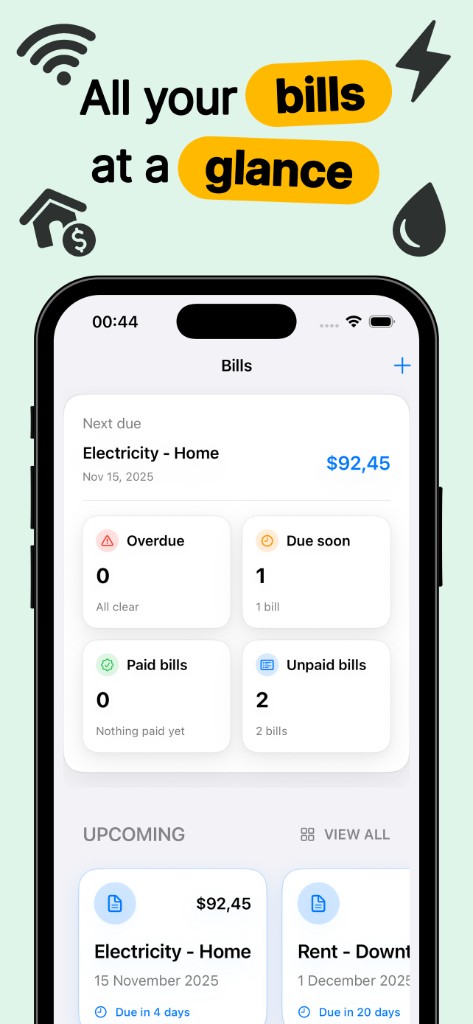
Bill payment organizer with next due amount, overdue alerts, due soon tiles, and upcoming bill cards for rent and utilities.
Finance · iPhone
Bill reminder app for rent, utilities, and subscriptions
Bills Organizer Reminder Plus is an iPhone bill tracker and due date reminder: recurring rent and utilities, smart alerts, paid history, category spending stats, widgets, and multi-currency.

Free with optional in-app purchases. Requires iOS 17+.
Bills Organizer Reminder Plus is a household bill organizer built for iPhone users who want due dates, amounts, and payment status in one place instead of scattered email and bank alerts. The dashboard highlights the next bill due, plus counts for overdue, due soon, paid, and unpaid items.
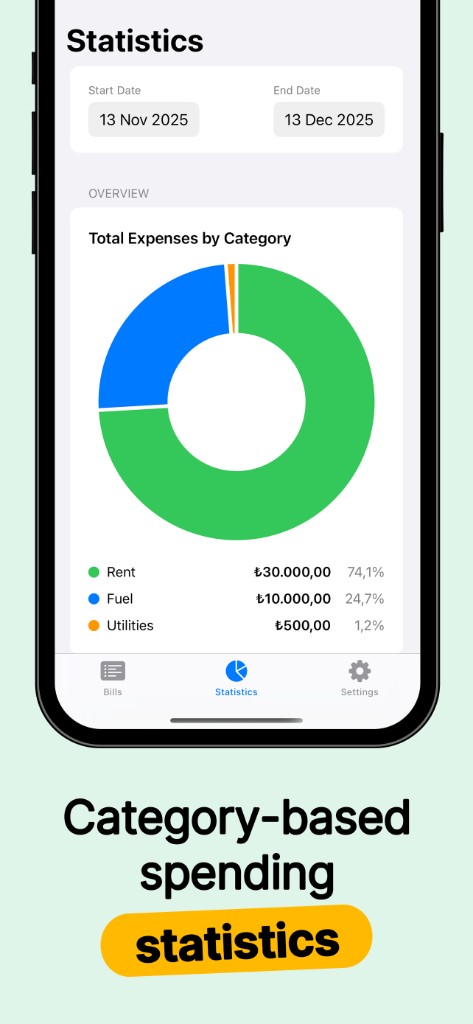
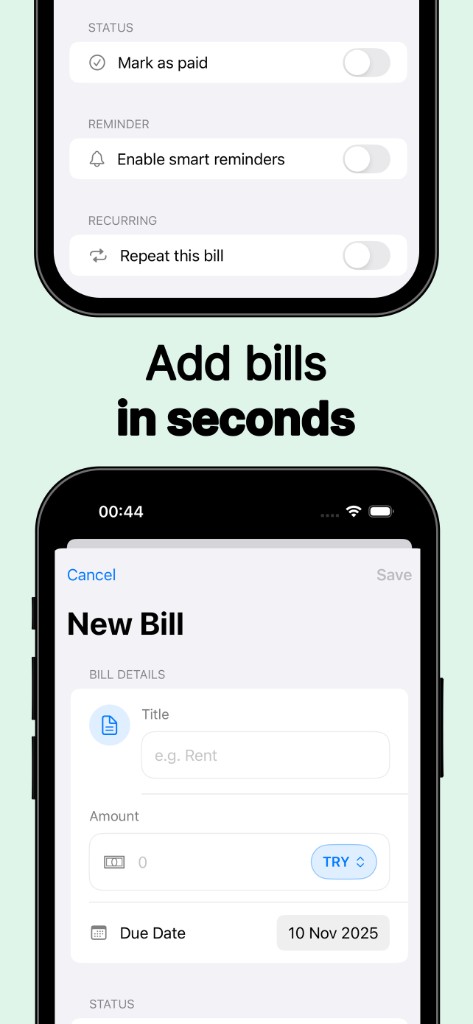
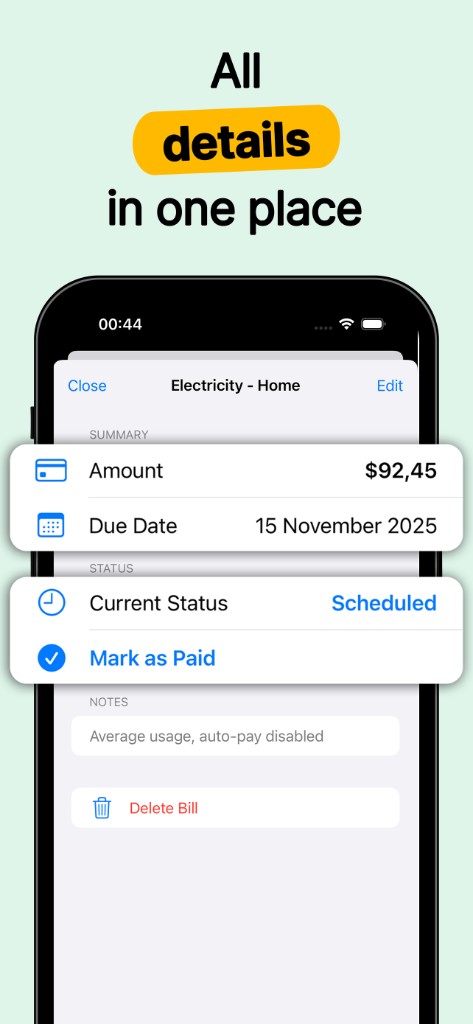
Add rent, electricity, water, internet, phone plans, subscriptions, or one-time expenses with categories for clearer statistics. Smart reminders offer presets such as one day, two days, three days, or one week before the due date, each with its own notification time. Mark bills as paid, filter paid history by date range, and review category breakdowns on the statistics screen. Recurring bills roll forward automatically; notes capture autopay or account numbers. Home Screen widgets show the upcoming payment at a glance. Choose your currency; data stays stored locally on device. Premium raises bill limits and can remove ads per the App Store listing.
Walk through key screens on iPhone. Each view shows how Bills Organizer Reminder Plus fits into everyday use.
Bill payment organizer with next due amount, overdue alerts, due soon tiles, and upcoming bill cards for rent and utilities.
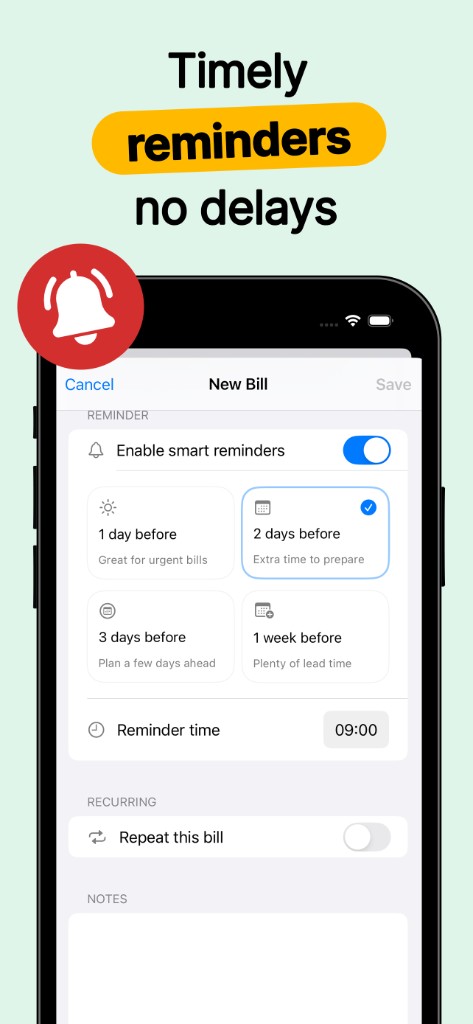
Bill due date reminders with lead-time presets and custom alert times so you pay before late fees hit.
Monthly bill tracker for rent, subscriptions, and utilities that advances automatically after you mark payments complete.
Household spending charts by category across a date range: housing, utilities, subscriptions, and custom labels.
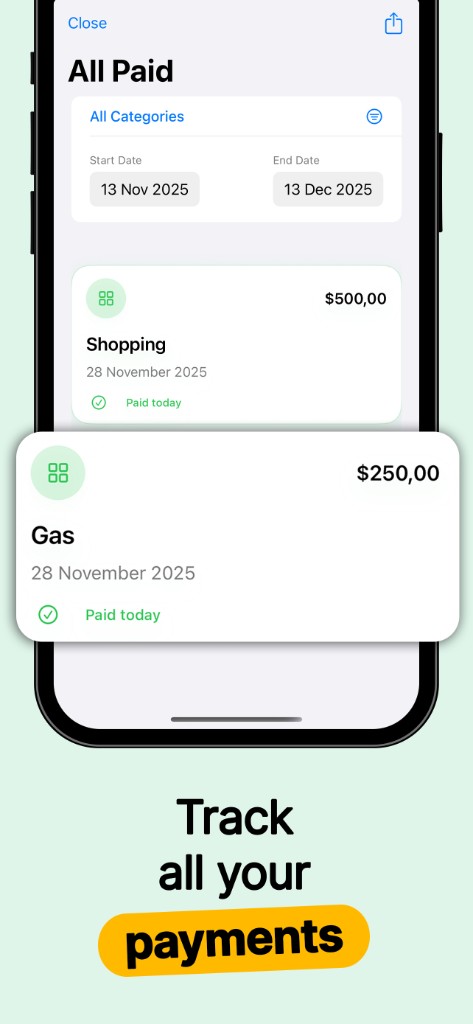
Searchable paid bill history with category filters for taxes, roommate splits, or year-end review.
iOS widgets for the next due bill plus TRY, USD, EUR, and other currencies with on-device storage.
You can add and track bills on the free plan within the limits shown in the app. Premium increases how many bills you can manage and may remove ads. Subscription options and pricing are displayed before you purchase.
Bills are saved on your iPhone. The developer does not operate a cloud account for your entries. See the privacy policy for how optional analytics or ads are handled on the free tier.
Yes. Each bill can use smart reminders with its own lead time and alert time when you create or edit it.
Yes. Name any bill, set the amount and due date, enable repeat for recurring charges, and categorize it for statistics.